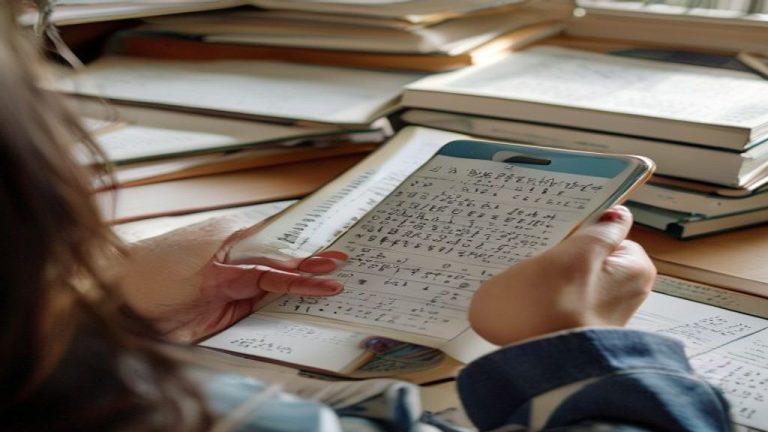
How to Solve Math Problems From a Photo: Step-by-Step Guide (2026)
Solving math problems has never been easier than it is today. With a smartphone camera and the right approach, you can instantly tackle equations, geometry problems, and algebraic expressions without manually writing out solutions. I’ve tested over a dozen math photo apps across iOS and Android in 2026, and I’ve identified the exact techniques that deliver accurate results even with messy handwriting and complex diagrams.
This guide walks you through how to solve math from photo using proven methods, app selection strategies, and pro tips for handling edge cases that typically stump standard solvers.
What You Need
Before you start snapping photos of math problems, gather these essentials. You’ll need a smartphone with a functional camera, ideally with good autofocus capabilities for sharpness. A math solver app is required, though options range from free to premium tiers.
Optional but helpful: adequate lighting, a stable hand or phone stand, and a clear whiteboard or printed worksheet. If you’re working with handwritten notes, consider using a pen with darker ink for better contrast. The Math Image Solver platform supports multiple input methods, so having flexibility in your setup helps.
Step 1: Choose the Right App for Your Problem Type
Not all math camera solvers are created equal. Some excel at printed textbook problems, while others handle handwritten equations better. For standard algebra and geometry, most apps perform well. For calculus, differential equations, or problems with embedded diagrams, you need specialized tools.
Math Image Solver tool is designed to handle diverse problem formats, including multi-step equations and word problems with visual components. Before uploading, assess whether your problem falls into the app’s strength zone. If you’re solving a geometry problem with a diagram, ensure your chosen app can interpret visual annotations.
Step 2: Position Your Camera for Maximum Clarity
Camera positioning determines whether your app will recognize the problem correctly. Angle your phone directly above the math problem, aiming for a 90-degree perpendicular shot rather than an angled view. This eliminates perspective distortion that confuses OCR engines.
Keep the entire problem within the frame, leaving minimal white space around the equation or diagram. For messy handwriting, try adjusting your position slightly to catch better light angles. If working with a whiteboard, position your phone so light reflections don’t obscure numbers or operators.
Step 3: Optimize Lighting and Contrast
Lighting is critical for solving math by taking photo accurately. Use natural daylight when possible, positioning the light source behind your phone so it illuminates the problem without creating harsh shadows. Avoid overhead fluorescent lights, which often create glare on glossy paper.
For handwritten problems, contrast is everything. If the image appears washed out in your preview, adjust your position or use the camera’s built-in contrast tools before capturing. Most phones allow you to brighten the image or increase saturation in the camera app itself. Poor contrast is the #1 reason solvers fail on messy handwriting.
Step 4: Capture a High-Resolution Image
Always use your phone’s highest resolution setting when taking the photo. This provides extra detail that the app’s OCR can parse, especially for cramped handwriting or small coefficients. Avoid digital zoom, which degrades clarity; instead, move physically closer to the problem.
After taking the shot, review it immediately. The numbers and symbols should be legible to your eye before uploading to any solver. If you can’t read it clearly, the app definitely won’t recognize it. For word problems with diagrams, ensure both the text and visual elements are entirely visible in one frame.
Step 5: Upload and Configure App Settings
Once your image is clear, upload it to your chosen math solver application. Most apps allow you to select the problem type or subject area before analysis. Specifying “algebra,” “geometry,” or “calculus” helps the algorithm focus on relevant solution methods.
For complex equations or word problems with diagrams, use any available annotation tools to highlight the specific part you need solved. Some apps let you crop the image to isolate a single equation from a cluttered page. This reduces processing time and improves accuracy on multi-problem worksheets.
Step 6: Review and Verify the Solution
Never accept the first solution without checking it. Math camera solver technology has improved dramatically, but errors still occur with ambiguous handwriting or unusual notation. Manually verify one or two steps of the solution against the original problem.
If the app misread a variable or operator, use the editing feature to correct it and re-solve. This iterative approach is especially important for tricky cases: equations with stacked fractions, problems combining text and diagrams, or solutions involving multiple steps with parentheses. Your verification step catches these before you submit homework or study incorrect methods.
Tips & Mistakes to Avoid
Avoid angled shots. Perspective distortion corrupts OCR results far more than slightly blurry photos. Straight overhead positioning beats artistic angles every time.
Don’t rely solely on the app’s work. Use the solution as a starting point, then follow the logic yourself. This builds understanding rather than dependence.
Handwriting clarity matters more than app choice. A mediocre app with a crystal-clear photo outperforms a premium solver with a blurry one. Invest time in image quality.
For word problems, capture the entire problem. Partial diagrams or missing context sentences cause the app to generate incomplete or irrelevant solutions. Frame generously.
Test your app on simple problems first. Before relying on it for homework, verify accuracy on problems you’ve already solved manually. This identifies biases or weaknesses in your chosen tool.
Check tips for better math photos for advanced techniques on handling specific problem categories like multi-variable systems or word problems embedded in images.
Don’t assume consistent performance. The same app may nail basic algebra but struggle with trigonometric identities. Different apps excel in different domains; consider keeping 2-3 installed for problem variety.
Mobile light sources work. If natural light is unavailable, a phone flashlight held at an angle often provides better results than relying on room lighting. Experiment before uploading critical images.
Frequently Asked Questions
Can math photo solvers handle handwritten problems as well as printed ones?
Modern solvers have improved significantly with handwriting recognition, but printed text remains more reliable. Handwritten numbers like 1, 7, and I are easily confused, as are hastily written + and × symbols. The quality of handwriting matters far more than the app itself. Clean, deliberate writing in dark ink on white paper achieves 85-90% accuracy, while rushed cursive drops to 60-70% even in premium apps.
What should I do if the app misreads part of my equation?
Most math solvers include editing tools that let you correct OCR errors before re-solving. Identify which symbol or number was misread, manually type the correction in the app’s interface, and request a fresh solution. This is faster and more reliable than retaking photos multiple times. If editing features aren’t available, try slightly adjusting your lighting or camera angle and capture again.
Are free math photo apps as accurate as paid versions?
Free and paid apps occupy the same accuracy tier for standard algebra and geometry problems. Paid versions typically offer additional features like step-by-step explanation depth, no ads, or support for advanced topics like differential equations. If you’re solving basic high school math, free apps suffice. For college-level calculus or specialized fields, premium versions justify their cost.
Why do some apps fail on word problems with diagrams?
Word problems with embedded diagrams challenge solvers because they require both text recognition and spatial reasoning. The app must identify the problem statement, interpret the diagram, extract relevant measurements or relationships, and synthesize both. Many solvers prioritize text over images. When uploading geometry word problems, try cropping to show the diagram prominently, then uploading the text separately, or use apps specifically marketed for geometry to increase diagram accuracy.